Cvent User Pulse
A quarterly round-up of the most insightful content created by and for Cvent users. Discover a curated selection of success stories, community discussions, data trends, and expert tips that showcase how users are leveraging Cvent to drive event success. Stay informed, inspired, and connected with the latest user-generated insights and resources all in one place.
Talk of the Quarter
Open Forum discussions that drew the most replies from Cvent users in Q3
Ask the Experts - Q3 Product News Live: Event & Exchange Product Updates
If you’re not using Attendee Hub, what else could Audience Segments be useful for?
What are the pros and cons of attendee websites for agenda selection?
What's your event worth?
See the potential return on investment of your external event, whether hosted or attended, with this easy-to-use ROI calculator.
Resource Round-Up
Valerie’s Q3 Help Hot Spots
Based on data from customer conversations with our Community chatbot, we identified the areas planners struggled with the most. Along with resources to resolve them faster!
Registration links that just work
Customers most often needed help finding and sharing the correct event URL (and making sure it’s live)
Emails that come from the right address
A common ask was getting the “From” address and name set correctly so messages are recognizable and delivered
QR codes for faster check‑in
Many planners wanted a quick way for attendees to find their QR code so onsite lines move quickly
Fix import errors fast
Upload issues (skipped rows, formatting) came up often
Cvent Solutions Spotlight
Newly released features and fixes from Q3 you’ll want to check out
LinkedIn Audience Connector
By auto-syncing attendees with LinkedIn Campaign Manager, the connector shows audience segment–level stats in Cvent to validate campaign efforts.
Reporting: Build Your Own Financial Reports
Now create customized reports to easily access and analyze financial data related to orders, discounts, and transactions for your events using Build Your Own Reports.
AI Agenda Assistant for CSN
Using our CventIQ powered AI assistant, generate an agenda for use in your Cvent Supplier Network RFP via three methods: pasting details into a smart text box, uploading a file containing your agenda, or describing your agenda in natural language.
Previously Released
My Events
Single hub in the Event App containing personalized and relevant event info that helps attendees stay engaged throughout their event journey.
Cross Event Insights
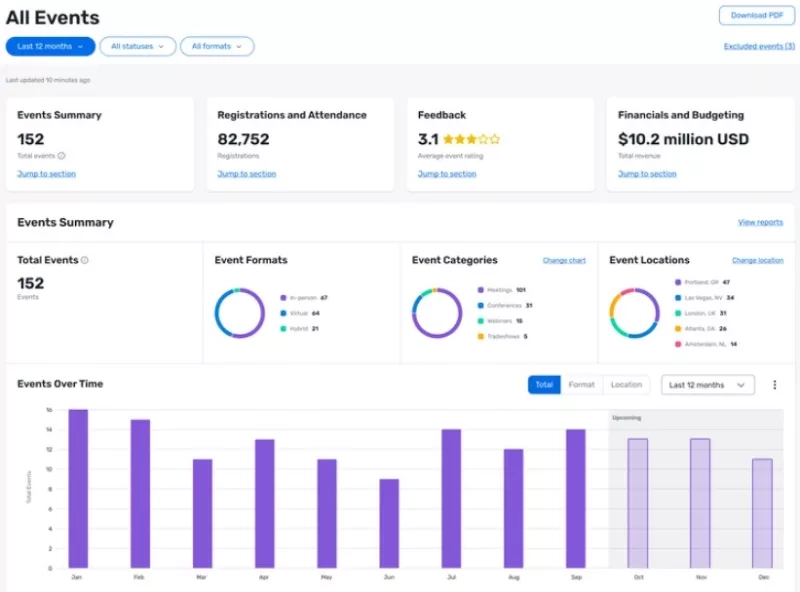
Centralized dashboard summary of your account-wide event performance, including metrics on reg, revenue, ROI, etc
Dynamic Audience Segments
Enables organizers to create rules that now automatically assign audience segments to attendees.
CventIQ
A comprehensive suite of intelligence capabilities empowering users to move fater, improve collaboration, and deliver more personalized event experiences.
Upcoming In-Person Events for Cvent Users
Cvent Seminar
St. Petersburg
December 3, 2025 - December 4, 2025
Cvent Seminar
Charleston
December 3, 2025 - December 4, 2025
Cvent Seminar
Indianapolis
4 December, 2025 - 5 December, 2025
Cvent User Pulse
A quarterly round-up of the most insightful content created by and for Cvent users. Discover a curated selection of success stories, community discussions, data trends, and expert tips that showcase how users are leveraging Cvent to drive event success. Stay informed, inspired, and connected with the latest user-generated insights and resources all in one place.
Success Story of the Quarter
“We went from zero to sixty very fast, from having nothing tracked to having the hundreds of events we now have all streamlined in Cvent. Everything is managed in one system and we’re able to give our stakeholders real-time data.”
- Andrew DePaul, Senior Vice President of Digital Marketing
What Cvent helped CAIS achieve
Attendance Rate
Summit total revenue
Sponsorship Revenue
CEU Awarded
Forum Wisdom
Our pick of the most insightful Cvent user contributions to Open Forum discussions.
If you haven't yet used Internal Fields, you are really missing out. I can't talk enough about how helpful internal fields are. Not only does it keep track of my notes about individuals in one place, it can create custom data tag content for an individual. You can also create CC fields that don't attach to someone's Cvent profile.
Katie Dreifus, Registration Manager
We found when we added text into an image that we used as our header it often got cut off or stretched improperly because of the dynamic resizing. We've discovered if you do layered images, it solves the problem and looks so much nicer than text widgets.
Rachel Sigley, Brand Marketing
Resource Round-Up
Recommended Cvent resources to learn more about a trending industry topic.
Community Learning Center - Attendee Engagement
eBook - Meet Smarter, Engage Deeper: Your Guide to Driving Engagement Through Events
Tool - The Ultimate Event Engagement Checklist
On-Demand Webinar - Amplify Your Live Events: Tips for Maximum Impact and Engagement
New in 2025: Cvent Academy Courses & Certifications
Event-Led Growth Masterclass & Certification
Unlock the power of event-led growth with this hands-on masterclass designed to help you turn events into a strategic engine for business impact.
Vendor Sourcing Made Easy with Reposite
Leverage the full potential of your supplier relationships with this training course on Reposite’s intuitive vendor sourcing tool.
Getting Started with Exhibitor Management
Get up and running with Exhibitor Management in Cvent through a series of quick, practical videos.
What Valerie Says
Revisiting Valerie's rich data helped us identify the areas Cvent users seek help in most often.
Cvent users asked Valerie these 5 questions most frequently.
| How to use Jifflenow? |
| How to use Webinars? |
| What happens when I turn on OnArrival? |
| What can I do with session groups? |
| How do I run a cross-event report? |
It also helped us identify some of the most frequented Knowledge Base articles in Cvent Community.
Valerie recommended these 5 resources the most in response to various user queries.
| Creating Sessions |
| Your Guide to Running Reports in Cvent |
| Managing Event Users & User Roles |
| Data Tag Cheat Sheet |
| Configuring Your Attendee Hub Pages |
The Best Of
Watch the sessions that made waves at Cvent CONNECT 2025
Launching an event-led growth strategy
Navigating event strategies from the Cvent Source and PULSE
Upcoming In-Person Events for Cvent Users
Regional Training Workshop
Boston, MA
August 27 - August 29, 2025
Product Seminar
Tysons, VA
August 27, 2025
Customer Success Group
Reston, VA
September 10, 2025
Product Seminar
Raleigh, NC
September 16, 2025
Cvent Solution Spotlight
Most talked about product updates and releases in Q1 and Q2 2025.
How does this help you?
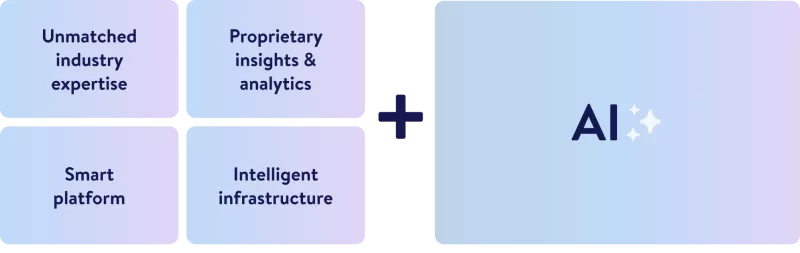
CventIQ™ delivers a comprehensive suite of AI-powered tools, spanning writing assistants, chatbots, predictive insights, attendee personalization, and more, built on the world’s most connected event platform to drive efficiency, engagement, and smarter decision-making for every event stakeholder.
How does this help you?
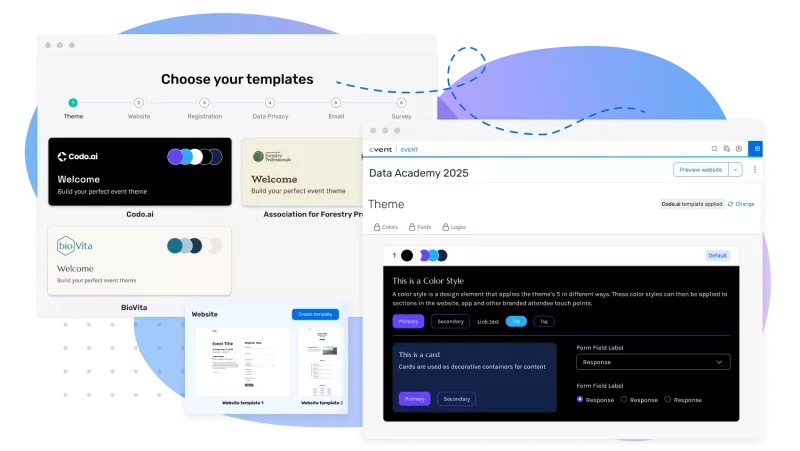
Cvent Essentials helps you easily manage high volumes of simple, in-person events. It enables anyone on your team to quickly create, promote, and execute on-brand, compliant events with pre-approved templates, streamlined registration, built-in engagement tools, and real-time analytics.
How does this help you?
Cross-event insights let you connect data across all your events to reveal trends, measure performance, and identify best practices. This enables you to make smarter, data-driven decisions and continuously improve event results at every stage.
How does this help you?
The Event AI Assistant for Websites lets you add an AI-powered chatbot to your event sites, making it easy for attendees to quickly find answers, navigate content, and get personalized recommendations all through a conversational interface.