


Video plays a bigger role in events than ever before. It drives signups, boosts engagement, and gives your content a longer shelf life.
Audiences prefer it too. Eighty-three percent say they’d rather watch a video than read text when learning something new. That makes it one of the most effective ways to promote, document, and extend your event experience.
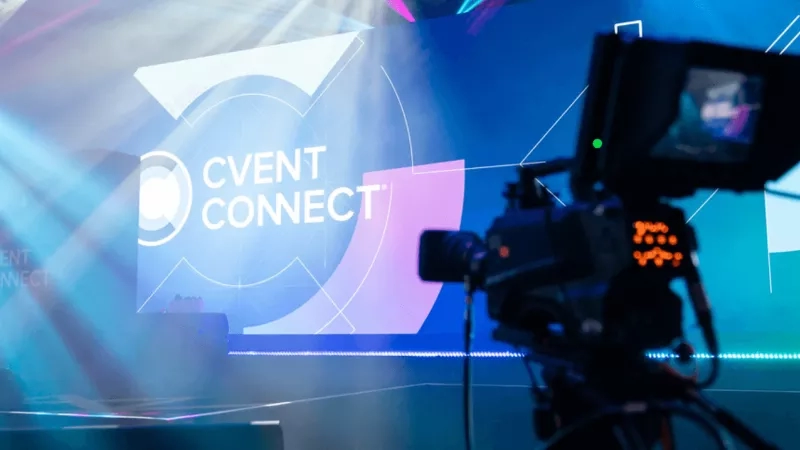
At Cvent CONNECT and Cvent CONNECT Europe, video helps us do all of that. We use it to build momentum before the event, capture authentic moments onsite, and deliver on-demand content that keeps our audience engaged long after the event is over.
The role of event videos in modern events
People are wired to watch. Video is faster to consume, easier to remember, and better suited to the short attention spans we’re all working with. That’s why it’s become the most effective format for engaging attendees, whether they’re exploring your event for the first time or reliving it weeks later.
This makes video essential for planners and marketers at every stage of the event. Video helps spark early interest through speaker clips or teaser trailers. It expands access through livestreams and real-time social edits. And once the event wraps, it gives you a library of content that keeps the conversation going.
Organizers are now building content plans alongside run-of-shows. Instead of treating video as a final task, it’s baked into the event strategy because what gets filmed often has just as much impact as what gets said on stage.
Types of event videos
Teaser videos
Before anyone registers or clicks on a calendar invite, they need a reason to care. That’s where teaser videos come in. Think short, punchy, and visually intense. It could be behind-the-scenes speaker prep, city footage from the host destination, or quick flashes of past attendee energy. The goal is to stop the scroll, spark curiosity, and make people want to learn more. A teaser done right earns attention before your registration page ever does.
Video ads
If you’re running paid campaigns, a static image won’t cut it. Video ads let you lead with emotion. They can be bold, fast-paced, even a bit provocative, or whatever it takes to connect with viewers who’ve never heard of your event.
Event promos
Once your audience is aware of the event, they want to see what they’re signing up for. Promotional videos give them that context. These often blend B-roll from previous events with copy tailored to the upcoming one, and usually have a different tone depending on the audience. Finally, these event promo videos are versatile. They live on event pages, are used in trade shows, get embedded in email campaigns, and often find their way into speaker decks or sales enablement materials.
Live event streaming
Whether you're hosting a multi-track conference or a single-day summit, live streaming helps reach those who can’t attend in person. It also makes your event more accessible—geographically, financially, and physically.
Platforms like Cvent Studio let you build a branded live experience that doesn’t feel like a last-minute add-on. We've streamed everything from opening keynotes to customer panel sessions, each designed to keep virtual viewers engaged, not just passively watching. The production value matters. So does the format. Live Q&As, countdowns, and lower-thirds add polish and keep things dynamic.
Event highlight video
If you had to sum up your event in 90 seconds, this is the format you'd use. The event highlight video is the one most people will see. It’s part memory, part event marketing. It’s the music, the crowd shots, the speaker walk-ons, the candid moments. You want people to feel the energy even if they weren’t there. Highlight videos aren’t about explaining, they’re about evoking. That’s what makes them shareable.
Post-event recap
A good recap video includes key takeaways, quotes from speakers, and summaries of popular sessions. If the highlight video is your emotional hook, the recap is your educational asset.
They’re especially effective for B2B audiences as they can be used as follow-up content for sales and customer teams. They are often paired with on-demand session recordings. And because they’re more evergreen, they can also feed into your year-round content plan, including blogs, newsletters, and even future event decks.
Webinars and on-demand content
Once the event wraps, your job isn’t done. All those recorded sessions? They’re now part of your content library. Break them up by topic, trim the intros, and add navigation or closed captions. Done well, they become an online video guide your team can keep pointing people to.
On-demand content also helps you reach people who registered but couldn’t attend, or those who discovered your event too late. It’s one of the simplest ways to keep your event working for you long after it’s over.
Creating engaging event videos
Start with the goal
Before filming anything, decide what success looks like. Are you trying to boost early registrations, build brand recognition, or drive post-event engagement? The goal shapes everything else, such as the video’s length and tone, where it's published, and who it's for.
A teaser video has a different job than a post-event recap. The same goes for a sponsor interview versus a livestreamed session. One builds hype, the other builds trust. Be specific about what you want your video to do.
Plan the footage you need
Don’t leave content to chance. Create a shot list in advance, such as wide crowd shots, speaker entrances, reactions, breakout room footage, branded signage, and interviews. If you're working with a video team, give them context on what each asset is for (highlight reel, recap, social cutdowns, etc.) so they can capture with intent.
This is especially important for branded content. You want to walk away with footage that feels authentic but still polished, and that means carving out time for things like testimonial clips, sponsor B-roll, or presenter walk-ups.
Make it easy to watch
People decide in the first three seconds whether to keep watching. That means no long intros, no slow builds. Start strong with a quote, a visual hook, or a moment of energy.
Keep edits tight. Every second should add value. Use text overlays and motion graphics to highlight key points, especially for viewers watching on mute. On social, think short and vertical. For follow-up emails or recaps, longer formats are fine as long as the content holds up.
Keep your branding consistent
Event video is part of your brand, not separate from it. Use templates for titles and transitions. Match your fonts and colors to what’s on the badge, the signage, and the app. Platforms like Cvent and Splash help manage brand assets so your video team has everything they need without sending 10 Slack messages.
Capture great sound
Sound is half the video experience, but it’s often an afterthought. Conference halls aren’t quiet. If you're filming testimonials, use lavalier mics or handhelds. For sessions, plug into the soundboard whenever possible. And always record room tone. Because no matter how sharp your footage is, bad audio will lose your audience.
Stay ready during the event
Some of the best content happens unplanned, such as an off-the-cuff speaker comment, a hallway conversation, or a surprise moment that lands. But if no one’s watching for it, you’ll miss it.
Have someone on your team own a video capture onsite. They don't need to shoot everything, but they do need to coordinate with the video crew, flag standout moments, and follow up quickly for approvals.
Best practices for using event videos in marketing
Cut for different channels
One full-length video won’t work everywhere. What plays well in an event recap email won’t land the same on Instagram. Edit different versions for different formats: square or vertical for social, and landscape for YouTube and your website. Keep LinkedIn videos under a minute. For email, 20–30 seconds of value usually performs best.
Even from a single keynote or micro event, you can extract five or six clips tailored to different audiences: one for a sponsor spotlight, one for an industry takeaway, and one for a future event promo. The more modular your footage, the more mileage you get.
Use video to drive conversions
Don’t just post your highlight reel and hope for views. Think about where it sits in the attendee journey. Use teaser videos in paid ads that click through to your registration page. Include speaker quotes or session previews in email campaigns. Drop post-event recaps in lead-nurturing flows or sales follow-ups.
Adding a video thumbnail in an email can increase click-through rates significantly. Hosting a session recording behind a gated form can turn passive viewers into warm leads.
Make it shareable
The easier it is for attendees, sponsors, or speakers to share your videos, the more reach you get. Create branded thumbnails. Add captions so they work without sound. Include pre-written captions or hashtags if you’re sharing through speakers or partners.
We’ve seen speakers from Cvent CONNECT repost clips of their panels within minutes when they’re given ready-made assets. That kind of amplification happens when sharing is part of the workflow, not a favor you ask after the fact.
Track what performs
Views are only one part of the story. Track completion rates, clicks, shares, and conversions. If a certain style of video consistently gets more engagement, such as snappy edits, talking heads, or social testimonials, use that to inform your next shoot.
Platforms like Splash can help you tie video views to attendee behaviors. Who watched the session? Who clicked the follow-up? This data helps you understand not just what looks good, but what works. The more you understand how people interact with your content, the easier it becomes to repurpose what works and rethink what doesn’t. Pay attention to drop-off points, skim behaviors, and which clips spark shares or replies. That’s what turns video from a branding asset into a performance tool.
Technological trends in event video production
Event video production has changed dramatically. What once needed full crews and long timelines can now be done faster, cheaper, and with better creative control. Thanks to new tools, planners and marketers have more ways to create high-impact video content.
Mobile and on-the-fly editing
Smartphones now rival entry-level DSLRs, and with the right accessories, they’re powerful tools for live capture. Add a gimbal, a clip-on mic, and video editing apps, and you’re ready to turn raw footage into branded social content before the session even ends.
We’ve seen teams film speaker intros or quick attendee vox pops in the hallways, cut them during lunch, and post before the afternoon breakout. This kind of fast-turn content keeps momentum up and gives remote audiences a window into what’s happening in the room.
Real-time production and streaming
Live streaming no longer requires a production truck. Tools allow for real-time switching, overlays, sponsor branding, and guest speaker cut-ins. With multi-camera setups and branded lower thirds, your livestream can start to feel like broadcast TV, not a webinar.
This kind of polish makes a difference for events with hybrid audiences. It signals that virtual attendees matter just as much as those in the room.
AI in video editing
AI event tools are speeding up everything, from transcription to full post-production. It lets smaller teams do more with less. You can turn long sessions into clips for sales, social, and education without logging hours in an editing suite.
Tools like Descript let you edit video by editing the transcript. You can remove filler words, generate captions, or create audiograms in minutes.
Branded templates and automated workflows
As event teams scale content production, consistency matters. Build reusable templates with pre-set fonts, logo animations, and transitions to ensure that whether a clip comes from your in-house team, your agency, or an AV partner, it still looks like your event.
Cvent Studio is an ideal choice that keeps video creation connected to your event workflows, agenda, speakers, and registration. This allows you to build branded sessions, live broadcasts, and highlight reels without jumping between systems. It reduces friction, but more importantly, it keeps your content aligned from start to finish.
Case Studies: Successful use of event videos
Cvent CONNECT Europe: Turning feedback into campaign assets
At Cvent CONNECT Europe, we set up an on-site video pod to capture attendee impressions right after sessions. In one day, we recorded over 60 testimonial clips, authentic, unscripted moments that became part of our promo campaigns for the year ahead.
The turnaround was quick. Some videos were edited and ready for social within minutes, while others were repackaged into event highlights and speaker recaps. With nearly 2,000 in-person attendees and a strong virtual presence, this content helped us showcase the experience through the voices that mattered most.
Session recordings were also made available on demand in the Attendee Hub, giving attendees another way to revisit key moments or catch up on what they missed.
Cvent CONNECT: Scaling reach with on-demand content
At Cvent CONNECT, we captured every major session, including keynotes, panels, and breakouts, and made them available shortly after via the Attendee Hub. This extended the event for both in-person and virtual audiences and allowed teams to reuse content across channels post-event. Attendees could revisit sessions at their own pace, and organizers could continue engaging their audience well after the event ended.
The future of event videos
Event video is becoming year-round content. Teams are planning for clips, not just recaps. Sessions are now captured with distribution in mind: slicing panels into short-form LinkedIn clips, turning workshops into gated resources, or recording speaker soundbites for next year’s promos. With AI speeding up production and branding baked in, video will work harder, last longer, and drive more value from every event. Try it today and unleash the power of video marketing.
Frequently asked questions
What are the benefits of using videos for event marketing?
Video builds interest faster than static content. It helps drive registrations, showcases real moments, and gives your team reusable assets for sales, marketing, and partner campaigns. A single session recording can be turned into clips for social media, highlights for a promo reel, and insights for post-event nurture. It’s also easier to track performance with metrics like clicks, completions, and shares, so you know what’s working.
How do event videos enhance attendee experience?
Video adds flexibility and reach. Livestreams bring in remote viewers. Session recordings let in-person attendees catch up on what they missed. Teasers help people prepare, while recaps let them revisit what mattered. Video makes your event more accessible, more memorable, and easier to share.


